

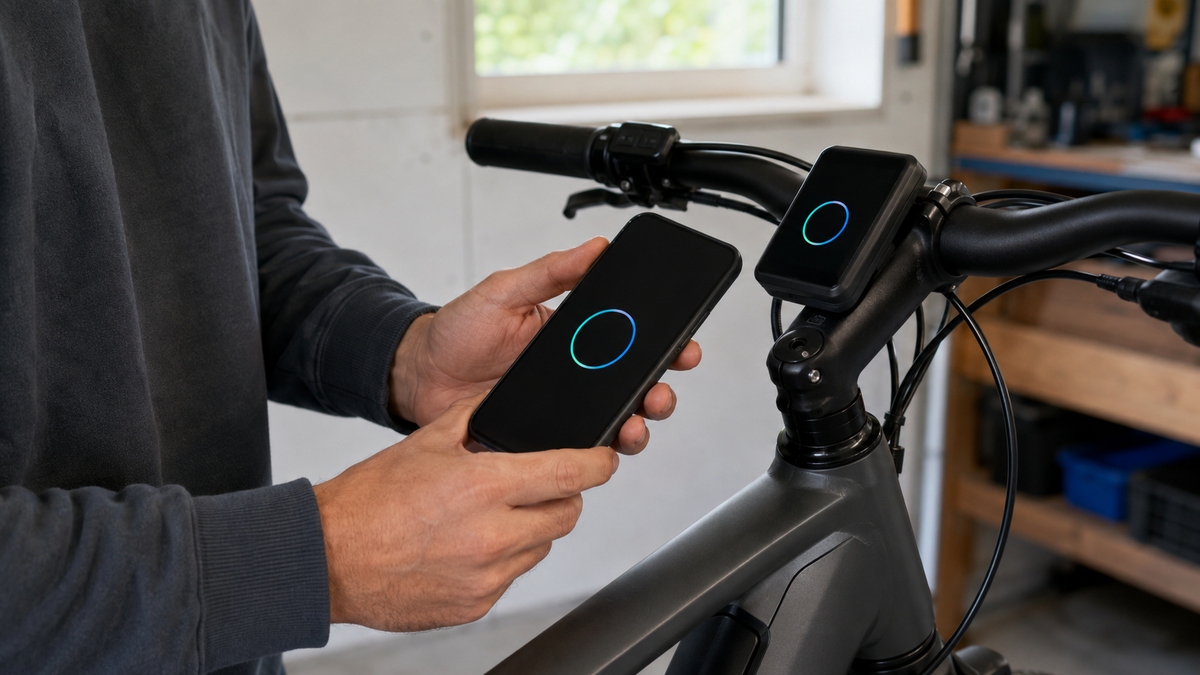
An e-bike software update can fix errors, add features, or bring components to a common version. However, it is not a process to start with just any app and an arbitrary guide. E-bike systems differ significantly in compatibility, connection, and recovery. The installed system must therefore be identified clearly first. Updates should be carried out exclusively via the method specified by the manufacturer—with sufficient time set aside and without moving the bike during installation.
Distinguish between app updates, firmware, and map data
A smartphone app update initially affects the application on the phone. A firmware or system update changes software in the display, control unit, drive system, battery, or other connected components. Maps and navigation data may be updated separately again. A new app version therefore does not automatically mean that the bike is already up to date.
| Update type | Affected level | Typical checkpoint |
|---|---|---|
| App update | Smartphone application | Official app store and manufacturer information |
| Bicycle firmware | Electronic components on the bike | Compatible manufacturer app or specialist retailer |
| Component update | Individual display, gear system, or accessory | Component must be connected correctly and supported |
| Map or content update | Navigation and data | Storage, region, and account connection |
Read the release notes before starting. They show whether the update affects your system at all. Do not install a file just because the model designation looks similar.
Identify the exact system clearly
Note the bicycle manufacturer, model year, drive system, display, and control unit. Check the designations on the invoice, in the manual, and in the official app. For example, Bosch distinguishes the smart system from older system generations and assigns different apps to different displays. Shimano likewise lists supported units and app versions in its compatibility information.
An e-bike purchased second-hand may have had components retrofitted. In that case, do not rely solely on the bike’s model name. If the app shows an unknown or missing unit, do not experiment. Dealers or manufacturers can confirm the configuration and the intended update method.
Use only official software and genuine stores
Download the app from the official app store or the system manufacturer's direct link. Search ads, unofficial download portals, modified APK files, and third-party PC programs are not safe substitutes. Check the provider's name, the app permissions, and the support page URL. Login credentials, pairing codes, and serial numbers do not belong in forums or public comments.
A firmware update is not tuning either. Programs intended to bypass speed limits, motor parameters, or approval-related functions can affect operational safety, the warranty, insurance coverage, and legal classification. This article covers only manufacturer-approved updates.
Preparation: Time, power, and connection
- Read the update notes and the instructions for your specific system.
- Allow sufficient time and do not start immediately before an important ride.
- Check the charge levels required by the manufacturer for the bicycle and smartphone.
- Update the official app if this is stated as a requirement.
- Establish a stable internet connection for the download and a stable wireless connection to the bike.
- Do not activate any power-saving function that terminates the app or Bluetooth during the process.
- Install all components belonging to the system, if required by the manufacturer.
- Photograph the current version information and make a note of important personal settings.
The exact minimum charge levels and conditions are not universal. Use only the values specified in the current instructions or shown in the update display. Do not improvise a power supply, and do not power the e-bike simultaneously with an unsuitable charger.

What Bosch emphasizes for the smart system
For over-the-air updates of the smart system, Bosch describes two phases: first, files are transferred to the e-bike via the internet and Bluetooth; then the installation is deliberately started. The bicycle should not be moved and no component should be removed during installation. The system may restart and temporarily lose its connection to the app.
In another Bosch FAQ, a stable Bluetooth connection is required. All Bluetooth devices listed in the component list should be connected. These instructions apply to the Bosch process described there. Menu paths and behavior may change with app and system versions; the current on-screen guidance is authoritative.
What Shimano calls E-TUBE PROJECT
Shimano provides the official E-TUBE PROJECT Cyclist app, which supports compatible system settings and firmware updates. In its current FAQ, Shimano recommends checking the firmware status of each unit in the app and performing updates with a good Wi-Fi connection. Supported components depend on the app version and system configuration.
A failed wireless update may require recovery. Shimano refers to product-specific instructions for this and, if the problem persists, to the retailer or representative. Do not transfer recovery steps for another component to your e-bike.
Do not force anything during installation
Park the bicycle securely so that no one can move it accidentally. Keep the smartphone and bicycle close to each other. Do not switch to other apps if the manufacturer’s instructions rule this out, and do not force-close the application. Keep the battery, display, switches, and connected accessories in the required configuration.
A longer progress bar is not automatically an error. Do not disconnect the connection or power supply just because no visible change appears for a few minutes. First check the official time estimate and status display. Bosch notes that the transfer duration can depend heavily on the Bluetooth connection.
Check systematically after the update
- Wait for the manufacturer’s unambiguous completion message.
- Restart the system only as instructed by the app or manual.
- Check the version numbers of all detected components.
- Check the time, units, assistance modes, and personal settings.
- First test the display, buttons, lights, and gears while stationary.
- Take a short ride on a low-traffic surface.
- Document the error message and behavior before changing anything else.
A new feature may not be available depending on the bicycle manufacturer, drive system, or region. Bosch explicitly explains for riding modes that availability is affected by the Drive Unit and e-bike type, and that bicycle manufacturers can configure features. Therefore, a missing menu item does not prove that the update failed.
Update failed: Stay calm
Photograph the error message, progress status, and displayed version. Check the official status page if the manufacturer provides one, as well as known information about the specific message. Do not start a chain of reinstalling, signing out of your account, removing the battery, and pairing repeatedly unless the manufacturer instructs you to do so.
If the E-bike does not function normally after the update, stop using it. With Bosch, an incompletely updated component group may be a cause; the manufacturer recommends including all components or taking the complete bicycle to a retailer. For Shimano, the FAQ likewise refers users to a retailer or representative after unsuccessful recovery. Do not open the motor, battery, display, or connectors.
When a specialist retailer is the better update method
- The system or app cannot be identified unambiguously.
- A component is missing from the official compatibility list.
- The bicycle does not start, displays an error, or has already been updated incompletely.
- A diagnostic device or cable connection for specialist personnel is required for the update.
- Electronic components have been retrofitted or replaced on the E-bike.
- The battery, connection, or housing is damaged, damp, or unusually warm.
- The bicycle is urgently needed the next day, and there is not enough time for checking and recovery.
Frequently asked questions about E-bike software updates
Does every available update need to be installed immediately?
Check the instructions, urgency, and manufacturer's recommendation. Schedule the installation with extra time to spare; safety-relevant instructions should be implemented promptly using the specified method.
Can I ride during the transfer?
Some systems distinguish between transferring and installing an update. In the process described, Bosch allows use during the transfer but prohibits movement during installation. For your system, only its current instructions apply.
Why doesn't the app show all components?
Possible causes include a missing connection, unsupported hardware, or a different system generation. Do not force the update with third-party software; have the compatibility and configuration checked instead.
Can an update change my settings?
This is possible depending on the system. First document any permitted personal settings and check them afterwards. Unavailable functions must not be enabled using unofficial tools.
Conclusion: Official method, stable conditions, complete test
An E-bike software update starts with unambiguous system identification. Use only the approved app or a specialist retailer, meet the displayed requirements, and do not interrupt the installation. Afterwards, check all connected components and take a short, controlled test ride. If an error message appears, detection is incomplete, or the system behaves unusually, stop attempting the update yourself and let the service team take over.
As of September 6, 2026. Update methods, compatibility, menu paths, and requirements may change; the current manufacturer specifications for the specific E-bike system installed are authoritative.
Share:
Adjusting bicycle saddle tilt: Start neutral, fine-tune as needed
Raise the handlebars: safely distinguish between quill and Ahead stems